
Démarrez votre parcours professionnel en ligne


How to get an Apple Enterprise App Developer License?
Follow below mentioned steps to get Apple Enterprise App Developer License:
-
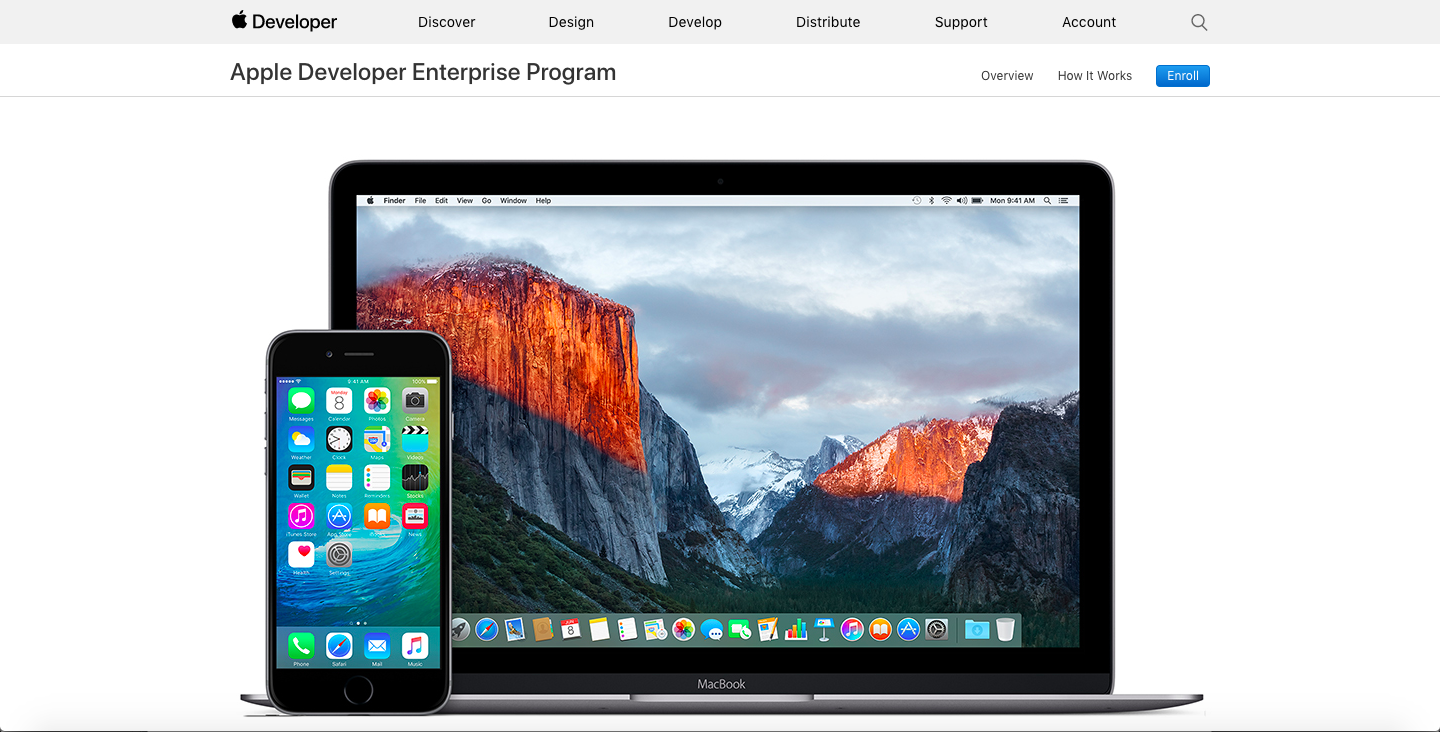
Go to Apple Developer Enterprise , and click on Enroll
-
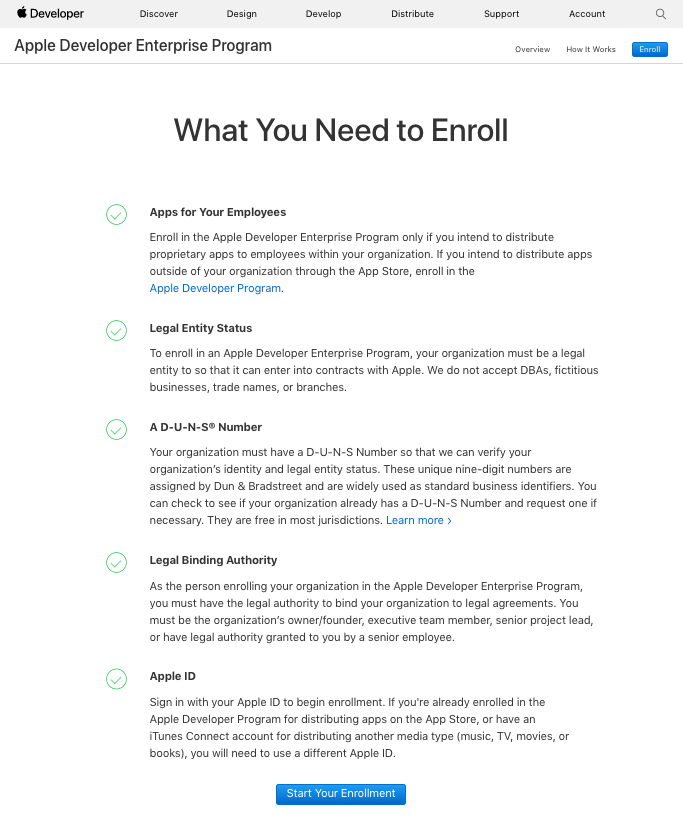
Click on Start your Enrollment
-
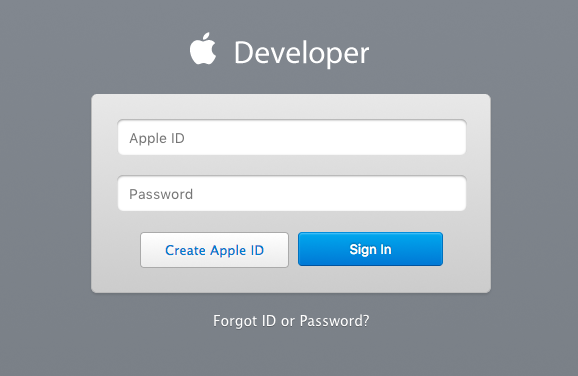
If you have already created Apple ID, Login, else Create Apple ID
-
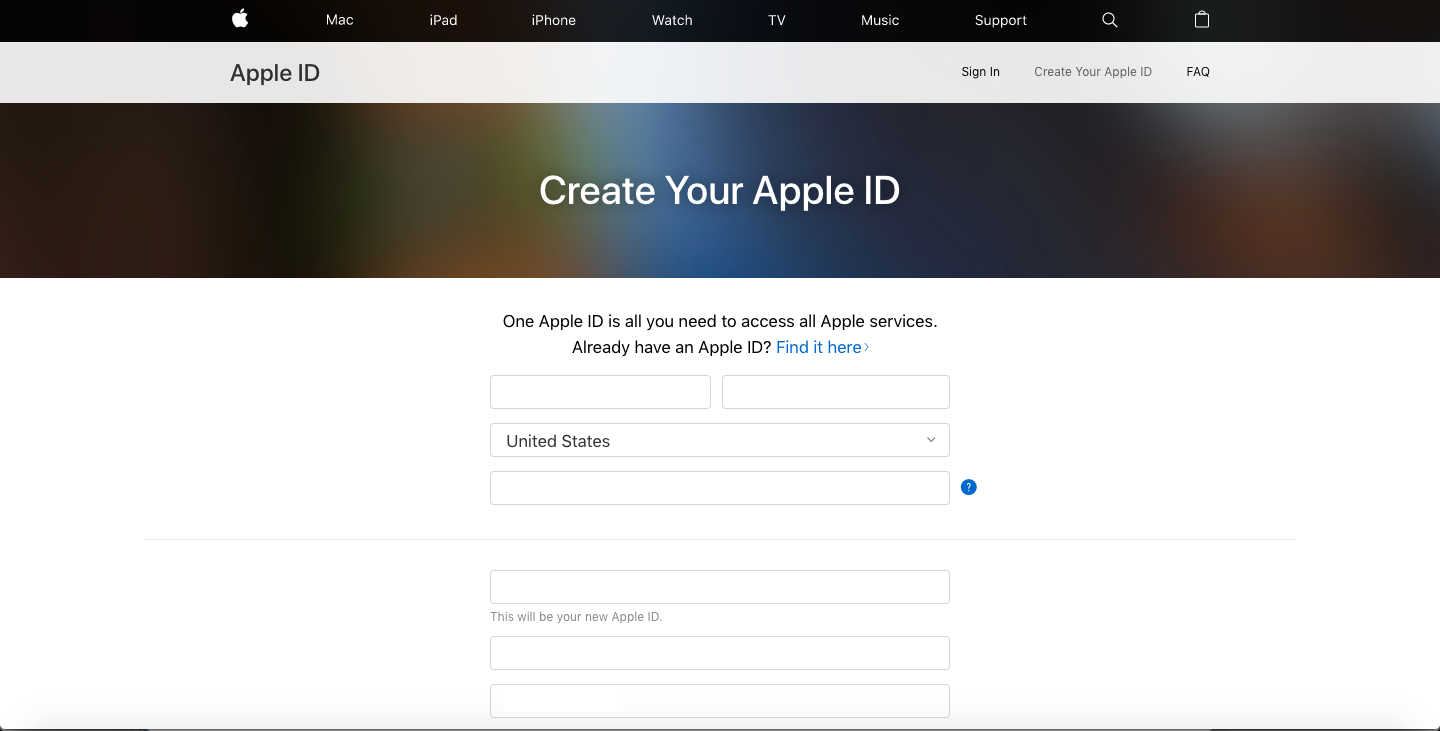
Fill up the form to create your Apple ID
-
Verify your email address
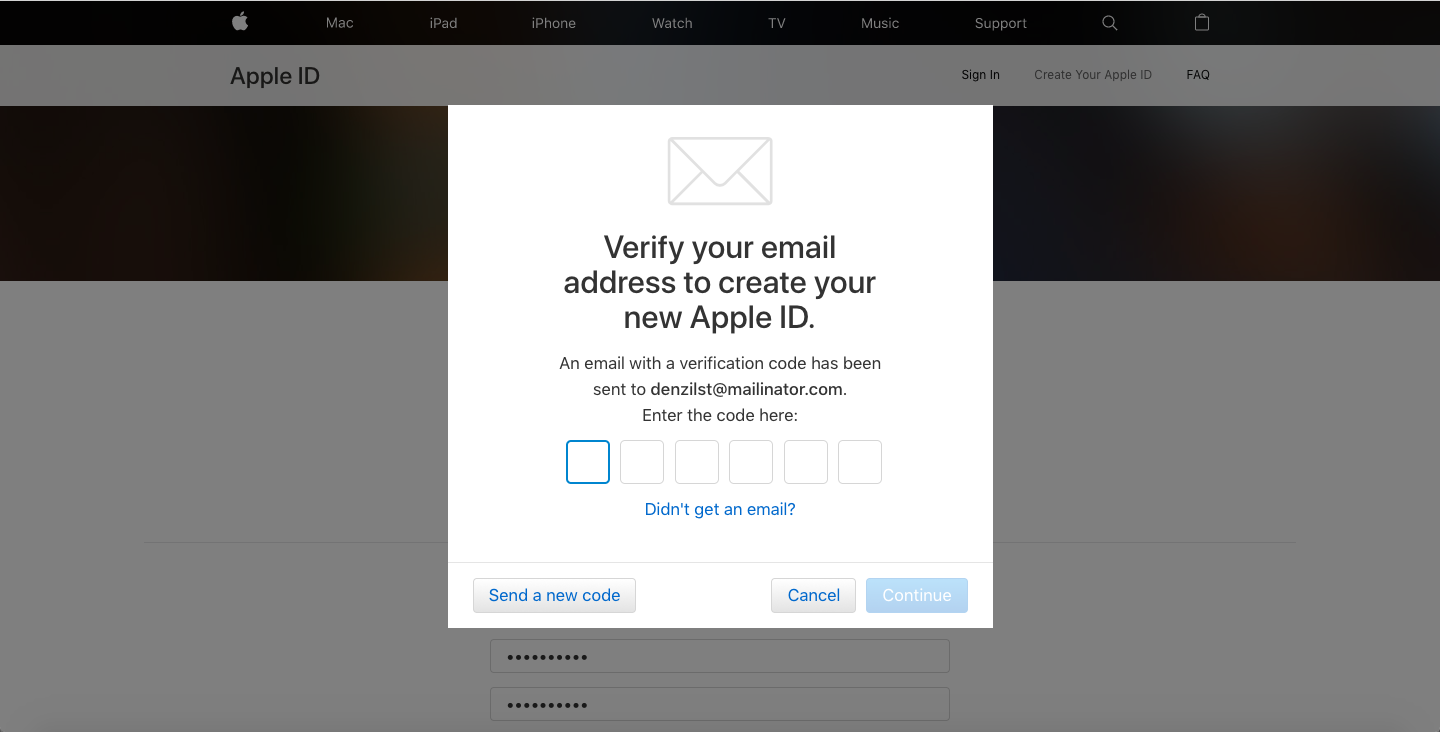
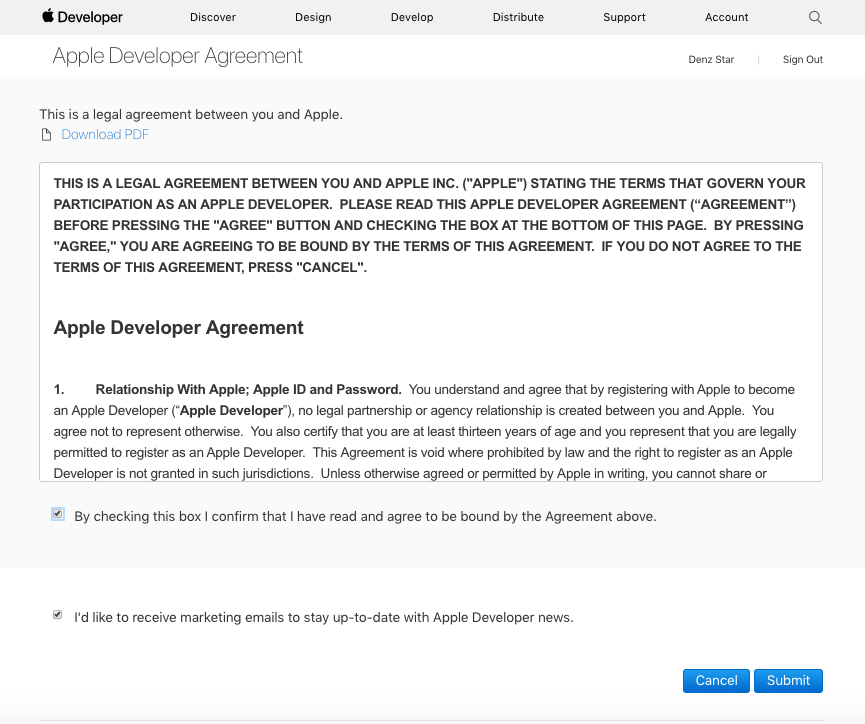
- Go back to the first page Apple Developer Enterprise and log in with your new Apple ID. You need to accept Apple's terms and conditions for becoming a registered apple developer. Review terms and conditions before tick-marking the checkbox to accept Agreement
-
Review terms and conditions before tick-marking the checkbox to accept Agreement
-
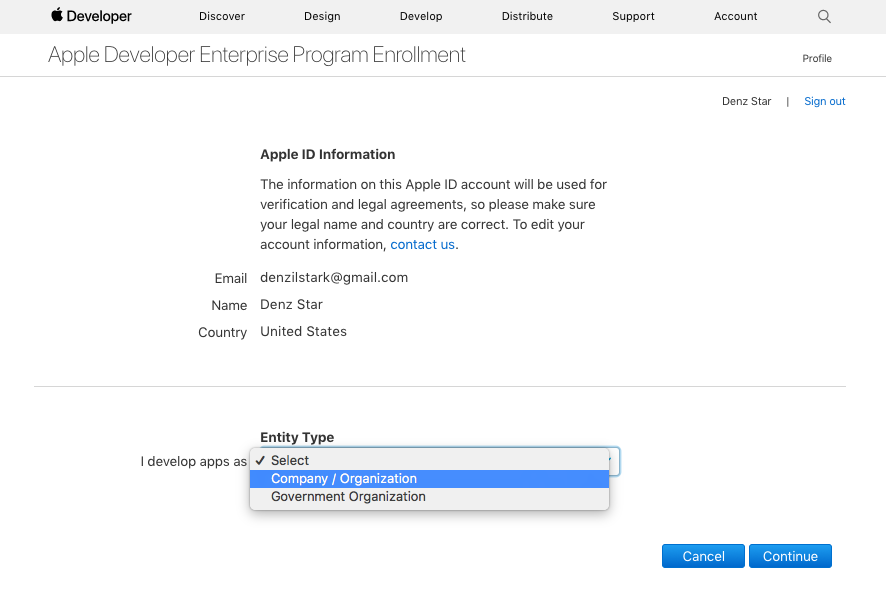
You will be redirected to Apple Developer Enterprise Program Enrollment window, select Entity type and Continue
-
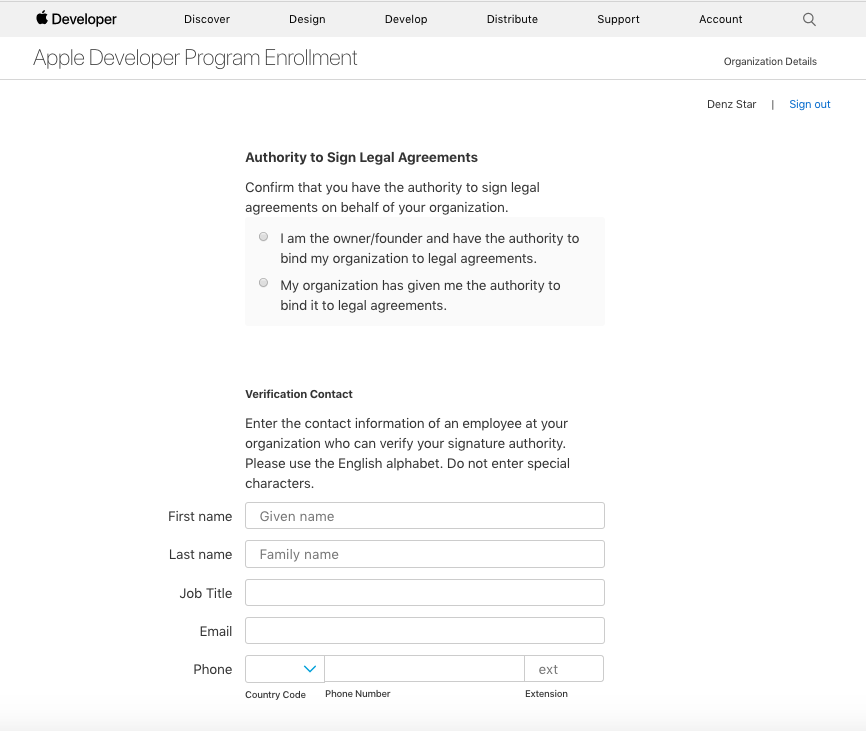
Select Authority type, provide mandatory details, and Continue
Note: You can check your organizationís DUNS number from here
-
Review all details once and Submit
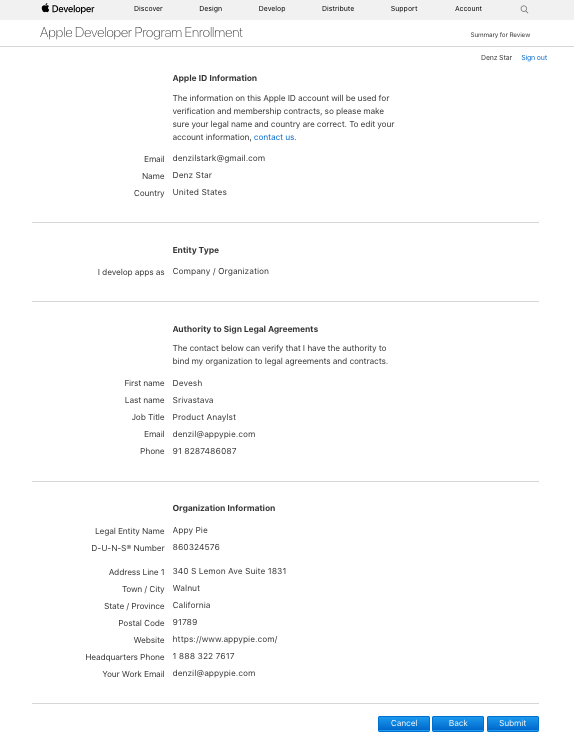
-
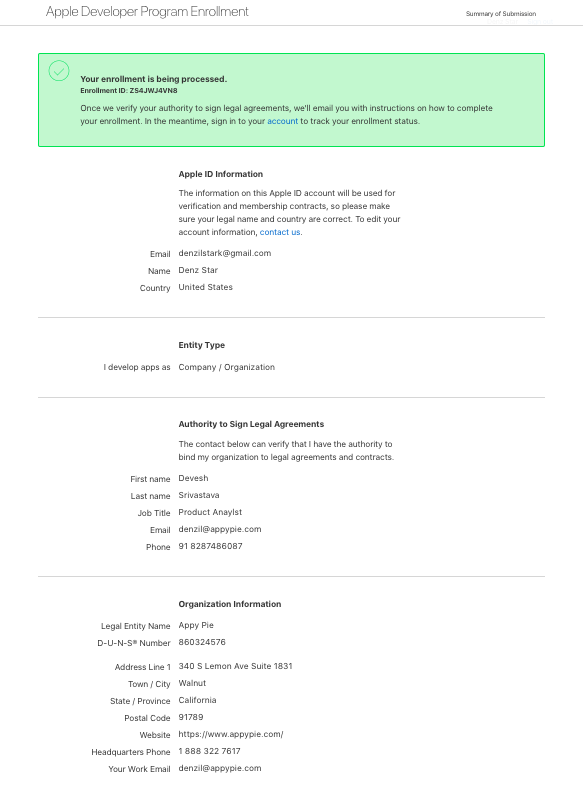
Your enrollment will start processing. Once your authority is verified, Apple will drop you email for further steps
Cet article a-t-il été utile
Cet article a-t-il été utile
Merci pour vos commentaires!
- S’inscrire
- Se connecter

Bienvenue, Invité!